Your AI Coding
Workspace
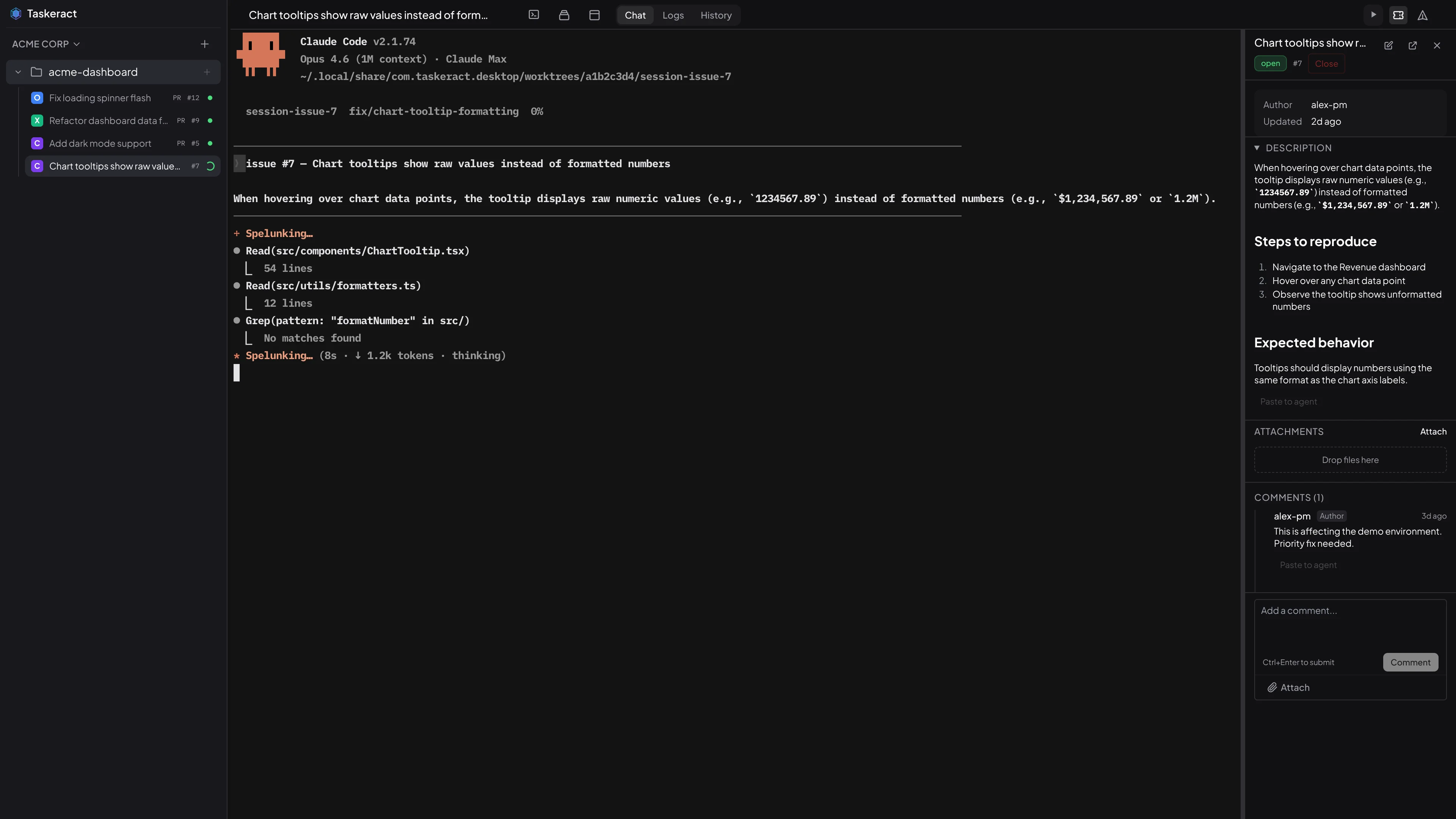
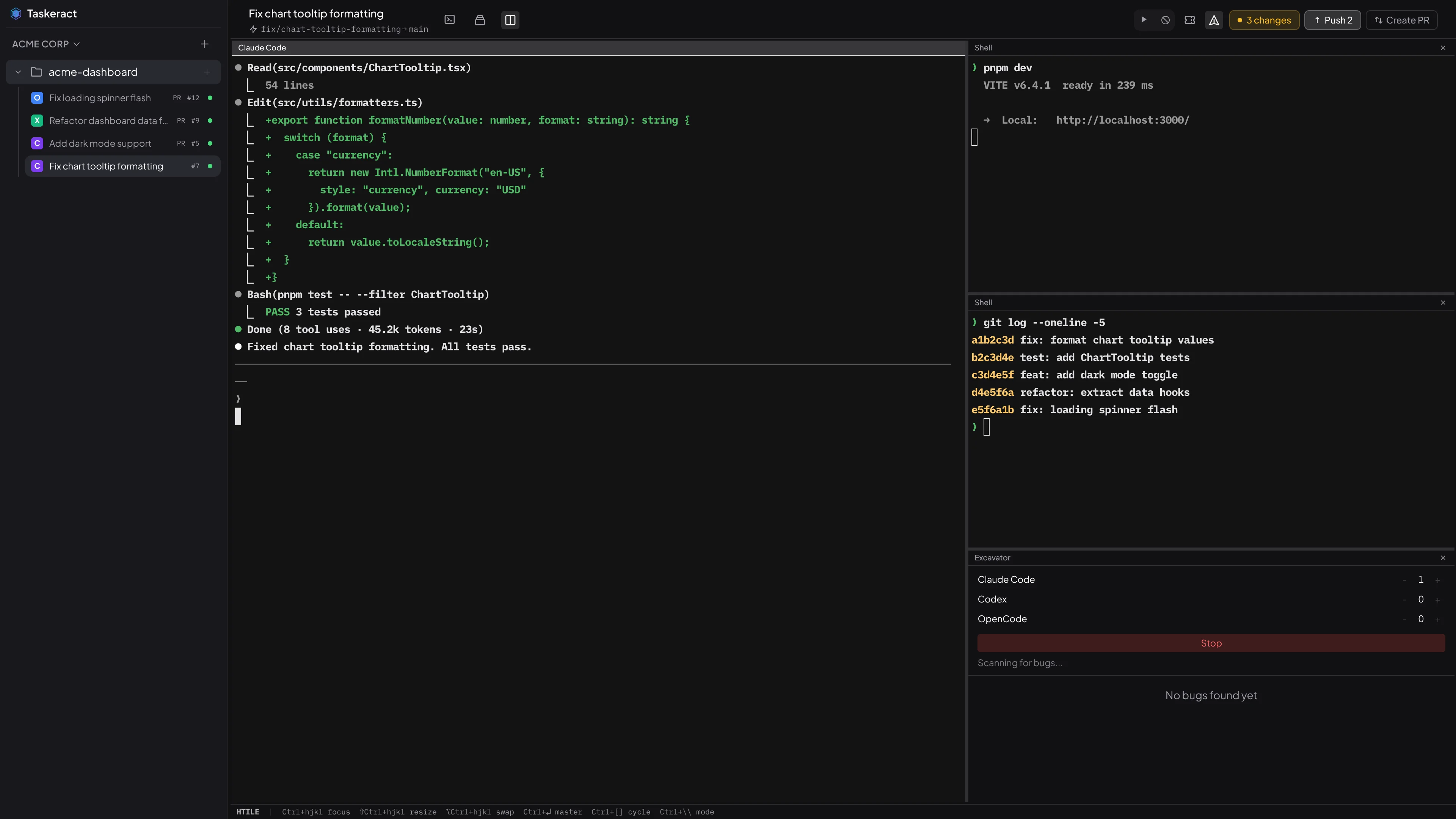
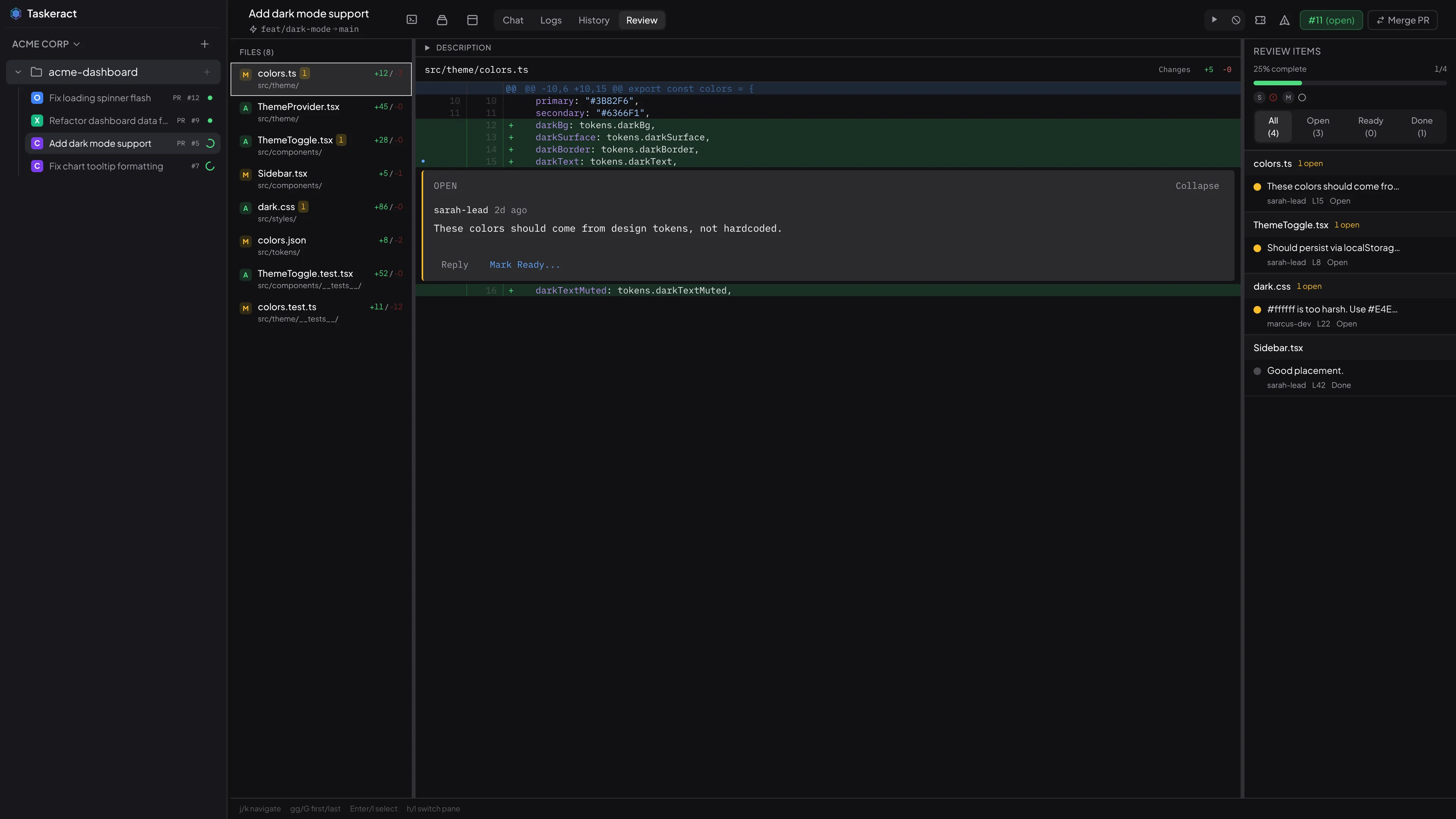
A desktop app where AI coding agents run in real terminals. Generate code, review pull requests, and merge - without switching tools. Works with Claude Code, OpenAI Codex, and OpenCode in workflow-aware workspaces for implementation, review, and triage.
Simple, transparent
pricing
- Unlimited agent sessions
- Git workspace isolation
- Multi-agent support
- Issue tracking & PR review
- See all features
- Everything in Individual
- Per-seat billing
- Usage analytics
- Project config sync
- Centralized team billing
Isolated Sessions
Each session gets its own isolated workspace and timeline. Multiple agents can work on the same project simultaneously without interfering with each other or your working directory.
Multi-Agent Support
Run Claude Code, OpenAI Codex, and OpenCode in separate sessions. Each agent runs in its own terminal. Launch guest agents to run multiple agents in the same session.
Timeline Checkpoints
Save without writing a commit. Restore to any save point with one click, branch the timeline anywhere, and let base sync replay your changes onto the new tip when origin moves. Ask your agent for five different versions of something and it branches off the same starting point five times - every attempt lands as a sibling tip you can compare and pick from. Publish turns whatever checkpoint you choose into a single clean commit on the remote.
Semantic Diff & Merge
Diffs align matching code even when it has been reformatted or renamed, label the blocks that moved so you can see where they went, and collapse long unchanged stretches by function name. Merges and base-branch replays use the same structural engine instead of line-based text merge, so far fewer changes turn into spurious conflicts.
Full Git Workflow
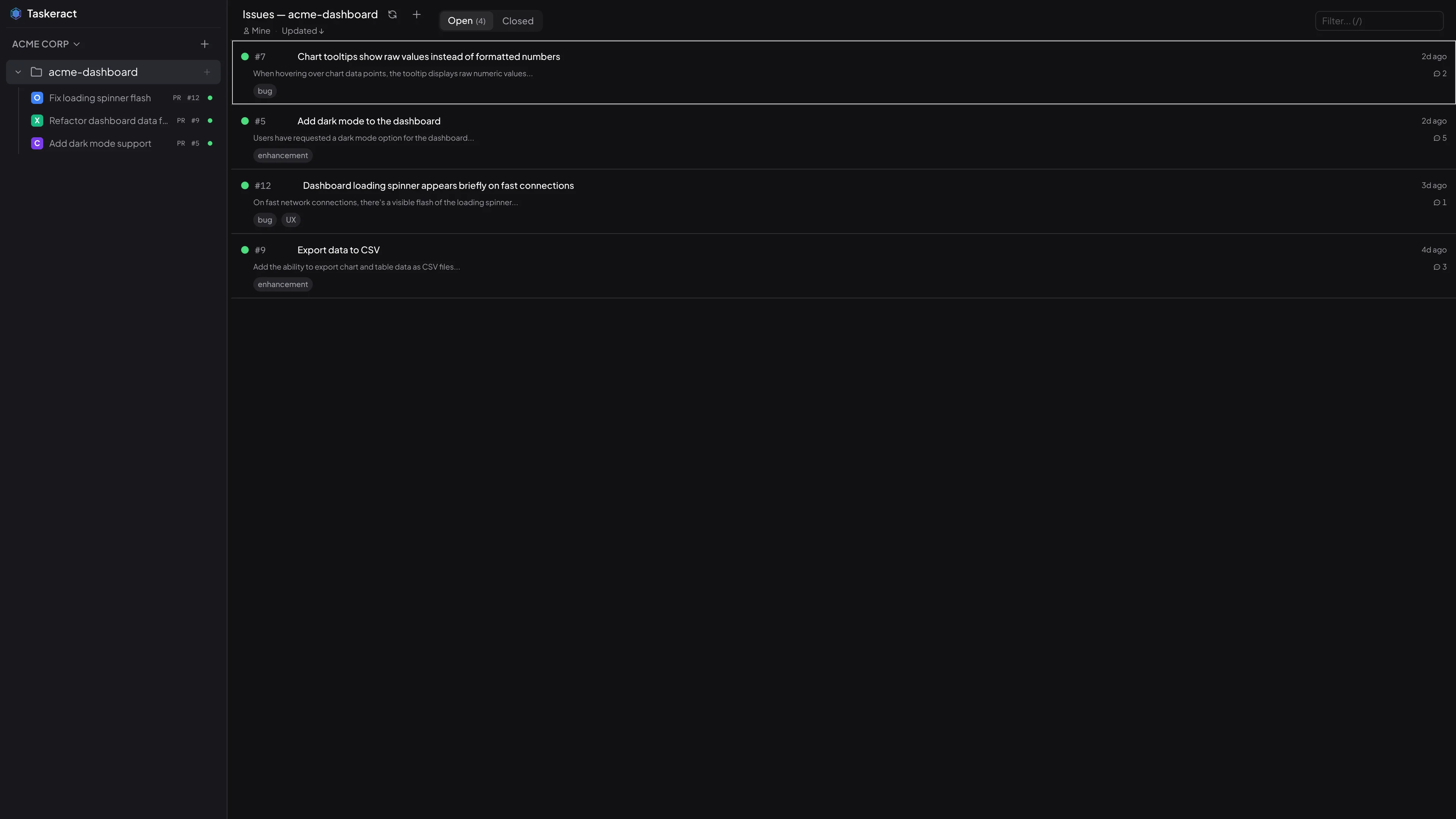
Review diffs, push branches, create pull requests on GitHub, GitLab, and Bitbucket, resolve merge conflicts, and monitor CI/CD checks. Agents can pull, push, and check pipeline status on their own.
Keyboard-Driven
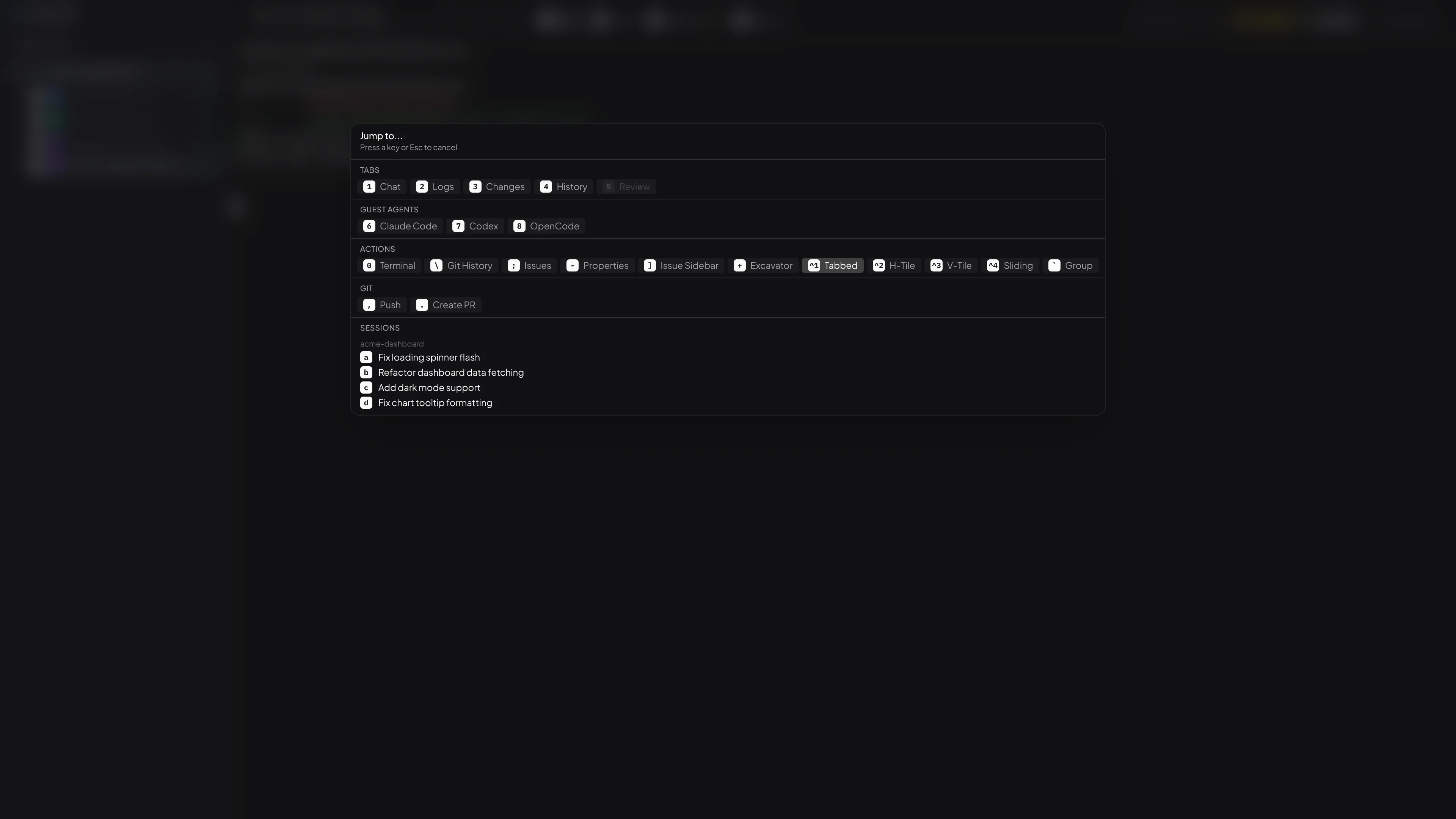
Vim-style navigation across every view with numeric prefixes, visual mode, and search. Jump Mode gives you instant access to tabs, git actions, sessions, and issues.
Agent Sandbox Pro
Lock agents down to just the project workspace. Sandboxed sessions can't read your credentials, access other projects, or reach unexpected network endpoints.
Sessions That Travel Pro
Open a session you saved on one device from any other device on your account or organization, with the full checkpoint timeline, agent conversation, and recording. End-to-end encrypted on the originating device before anything reaches the cloud, so only your devices and your organization hold the keys.
Excavator
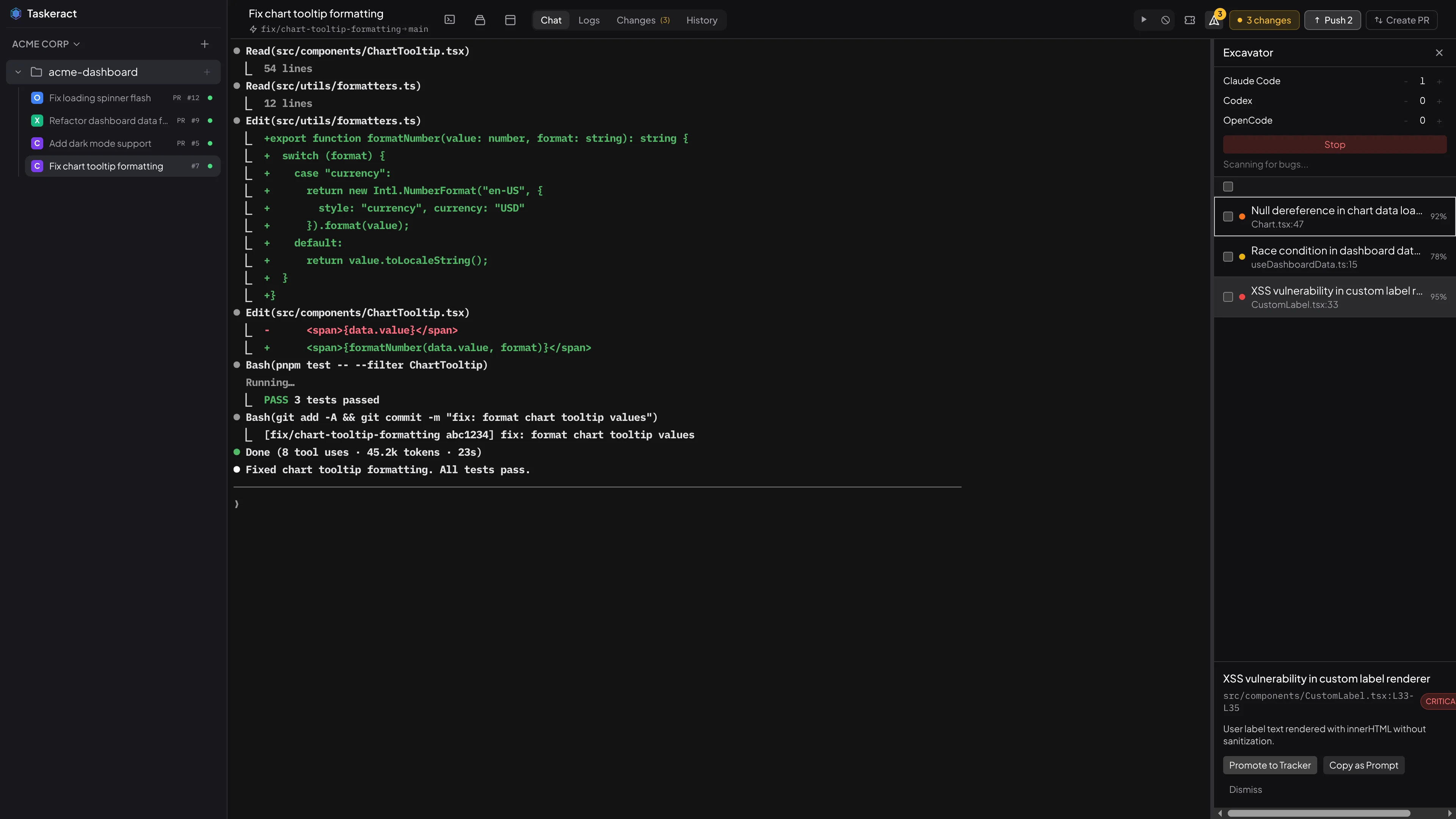
Launch multiple AI agents to scan your project for bugs in the background. Review findings with severity levels, then promote confirmed bugs to your issue tracker.
Three steps to
AI coding in isolation.
Configure Agents
Taskeract detects AI coding agents on your system and configures them automatically during the setup wizard.
✓ Claude Code
✓ OpenAI Codex
✓ OpenCode Launch The Right Workspace
One click to create a new workspace from your chosen base, with its own local domain ready for code execution.
✓ workspace: ready
✓ URL: https://warm-fox.myapp.tact
✓ ssl: auto-provisioned Run Agent Sessions
Start coding sessions in isolated workspaces. Review diffs with syntax highlighting, push branches, create PRs, and merge when ready. Sessions persist across restarts.
agent: Implementing auth flow...
status: 14 files changed
preview: https://warm-fox.myapp.tact
Isolated local domains
for every environment
Every environment gets its own local domain, so browser cache, cookies, and storage stay completely isolated between projects and sessions. No more projects on localhost clobbering each other. Each domain is served over HTTPS with auto-provisioned certificates, which is also required by some third-party integrations.
- Isolated browser cache, cookies & storage
- Unique domain per project
- Unique subdomain per environment
- Auto-provisioned HTTPS certificates
Start Your 14-Day
Free Trial
Full access to all Individual plan features. Cancel anytime.
Start free trial